A New Choice for E-commerce Product Photos: Complete Workflow with ERNIE-Image
I. Real-World Pain Points in E-commerce Product Imagery
Product photography is an unavoidable part of daily e-commerce operations. From new product listings to promotional campaigns, from detail pages to ad placements, every image directly impacts conversion rates. However, traditional product photography workflows face several clear bottlenecks:
- High production costs. Professional studios, lighting, models, and post-processing easily drive per-item costs into the hundreds or thousands. The pressure multiplies with bulk product launches.
- Long turnaround times. From concept to final image, the process typically takes several days or more — too slow to keep up with the fast pace of e-commerce operations.
- High barrier to text compositing. Promotional copy and brand overlays on product images require designers to handle separately, and layout becomes even more complicated in multilingual scenarios.
- Cumbersome format adaptation. The same product image needs to be adapted for thumbnails, detail pages, banners, and social media in different sizes, making repeated cropping and resizing highly inefficient.
The rise of AI image generation tools is changing this landscape. ERNIE-Image, an open-source image generation model from Baidu, offers a practical alternative for e-commerce product imagery with its reliable product photo generation, multilingual text rendering, and multi-resolution support.
II. ERNIE-Image Core Capabilities Overview
Model Architecture and Technical Specifications
ERNIE-Image is built on a DiT (Diffusion Transformer) architecture with 8 billion parameters, released under the Apache 2.0 open-source license. This architectural choice strikes a solid balance between generation quality and inference efficiency.
| Specification | Standard Mode | Turbo Mode |
|---|---|---|
| Inference Steps | 50 steps | 8 steps |
| VRAM Required | ~24 GB | ~12 GB |
| Speed Comparison | Baseline | ~6× faster |
| Supported Resolutions | 64–2048 pixels | Same |
| Guidance Scale Range | 0–20 (default 4) | Same |
| Prompt Enhancement | Enabled by default | Same |
| Max Prompt Length | 2048 characters | Same |
Standard mode suits scenarios demanding higher generation quality, such as refined main images and detail page hero shots. Turbo mode compresses inference to 8 steps, delivering approximately 6× speed improvement — ideal for quick drafts, batch generation, and iterative tuning.
Product Image Generation
The model performs well in still-life and product photography, capable of generating commercially polished product images from text descriptions. The Guidance Scale parameter controls creative freedom — higher values make outputs adhere more closely to the prompt, while lower values give the model more room for creative interpretation.
Multilingual Text Rendering
ERNIE-Image supports text rendering in four languages — Chinese, English, Japanese, and Korean — embedding up to 8 words (or phrases) per generation. This allows promotional copy to be integrated directly into product images during generation, eliminating the need for post-processing compositing.
Suitable use cases for text rendering include: promotional tags ("Limited Offer", "Buy Now"), brand slogans, and key product selling points. Copy exceeding the length limit should be added through post-processing tools.
Multi-Resolution Output
Flexible resolution output ranging from 64 to 2048 pixels covers all size requirements from thumbnails to high-definition detail pages:
- Main product images: Typically 800×800 or 1000×1000, output directly without scaling.
- Banners: Up to 2048 pixels wide, suitable for large campaign pages.
- Social media: Smaller sizes around 200–400 pixels for quick adaptation.
- Detail pages: 1920 pixels or higher, ensuring high-quality display.
III. Five-Step Workflow: From Concept to Final Image
The following is a reusable ERNIE-Image workflow for e-commerce product imagery, applicable to daily operations and batch generation.
Step 1: Define Requirements
Before generating images, clarify the following elements:
- Product category: Apparel, consumer electronics, beauty, food, etc. Different categories have vastly different visual style requirements.
- Use case: Main image, detail page, banner, social media — each scenario calls for different compositions and resolutions.
- Target style: Minimalist, luxurious, fresh, tech-oriented, etc. Lock in a direction with 2–3 keywords.
- Text required?: If yes, determine the copy content, language, and placement preference in advance.
Example Requirement Card:
Product: Wireless Bluetooth Earbuds
Use Case: Tmall Main Image
Style: Tech-oriented, dark tones, clean
Text: None
Resolution: 1000×1000
Step 2: Write the Prompt
The prompt is the core factor determining generation quality. ERNIE-Image's prompt enhancement feature is enabled by default and will automatically optimize the input, so it is recommended to describe your needs in a concise, structured way.
Structure Formula: Product Description + Scene/Background + Composition/Angle + Lighting/Style + Visual Details
Main Product Image Example
A pair of white wireless Bluetooth earbuds placed on a dark gray matte-textured surface, captured from a 45-degree side angle, soft side lighting, minimalist style, high clarity, commercial photography quality
Example with Promotional Text
A bottle of natural shampoo with green packaging, set against a fresh natural bathroom background, soft lighting, text "Limited Offer" displayed in the upper left corner, e-commerce main image style
Multi-Product Composition Example
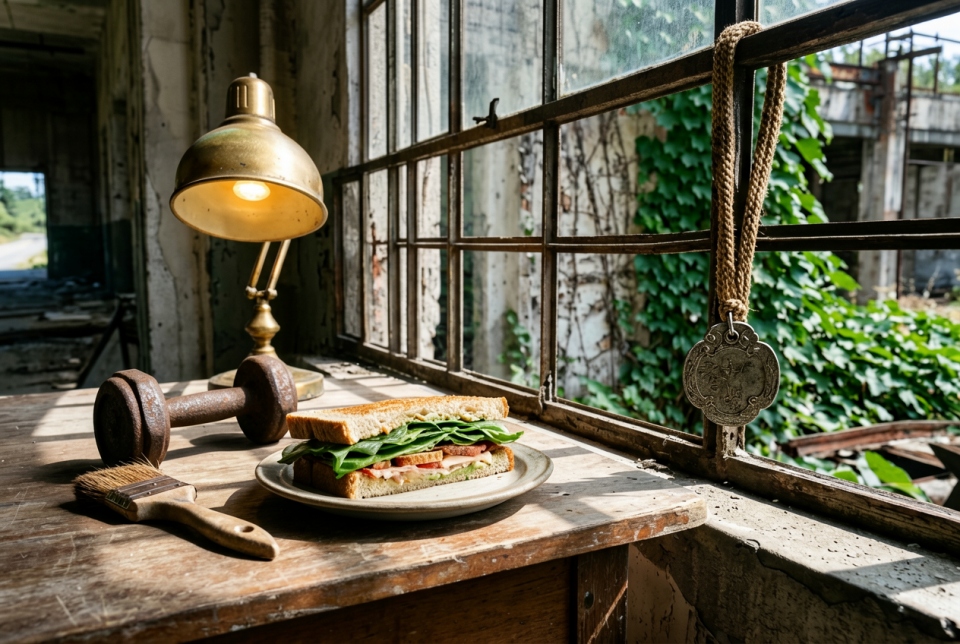
Three wireless mice in different colors arranged on a light wood desk, top-down frontal composition, bright even soft lighting, clean background, product display photography

Step 3: Tune Parameters
Adjust key parameters based on your needs:
- Inference mode: Use Turbo mode for quick previews on first attempts, then switch to Standard mode for refinement once the direction is confirmed.
- Guidance scale: The default value of 4 works for most scenarios. If results deviate from expectations, increase to 6–8; if the image looks too rigid, lower it to 2–3.
- Resolution: Set according to use case. Main images: 800–1000 pixels recommended; detail pages: 1920 pixels or higher.
Step 4: Iterate and Refine
Few people get perfect results on the first try. Iteration is the standard process:
- Wrong direction: Adjust core descriptors in the prompt, such as background or style keywords.
- Detail deviations: Add more visual detail descriptions, such as materials (matte, metallic, glass), colors (dark gray, cream white), and lighting (side light, backlight, soft light).
- Text rendering issues: Check whether the text exceeds 8 words, and confirm the language is within the supported set (Chinese, English, Japanese, Korean).
- Generate multiple variants for comparison: Generate 3–4 images with the same prompt, then pick the best one — don't fixate on a single result.
Step 5: Post-Processing Touch-ups
AI-generated product images usually serve as high-quality base images, but some scenarios still require post-processing:
- Use image editing tools to adjust color balance or contrast.
- Add brand logos or complex copy that the AI couldn't render precisely.
- Crop to meet the exact size requirements of different platforms.
- Select the best version from multiple generations for final output.
IV. Practical Prompt Template Library
The following templates can be used directly — simply replace the keywords with your actual product details.
4.1 Consumer Electronics
Smartphone Main Image
A black smartphone placed on a dark blue gradient background, front-facing screen display, soft top-down lighting, tech-inspired lighting effects, commercial photography quality, high clarity
Laptop
A silver laptop in open position on a light wood desk, with a cup of coffee and a notebook nearby, warm natural light from the side, minimal office scene, product showcase
4.2 Beauty and Skincare
Serum
A bottle of amber-colored serum on a white marble surface, with a few liquid droplets and a fresh aloe vera leaf beside it, soft natural lighting, fresh minimalist style, product close-up photography
Lipstick
Three lipsticks in different colors lined up on black velvet, 45-degree angle composition, soft side lighting highlighting the metallic tube finish, luxurious texture, commercial beauty photography
4.3 Food and Beverage
Coffee Beans
A bag of coffee beans on a dark wooden tray, with scattered coffee beans and a small cup of coffee nearby, warm-toned lighting, rustic natural style, food photography
Mineral Water
A clear mineral water bottle on a white background, water droplets condensed on the bottle, bright top lighting, fresh and clean visual effect, commercial product photography
4.4 Home and Living
Scented Candle
A white scented candle on beige linen fabric, decorated with dried flowers, soft warm lighting, cozy comfortable atmosphere, Scandinavian minimalist style
Storage Box
Three white storage boxes in different sizes stacked together, light wood background, top-down frontal composition, bright natural light, clean and organized feel, home product display
4.5 Examples with Text
Promotional Banner
A pair of white sneakers on a gray concrete-textured background, dynamic diagonal composition, text "Flash Sale" in the upper right corner, e-commerce promotional banner style
Brand Display
A minimalist white product box on a pure white background, front-facing view, soft even lighting, text "New Arrival" at the bottom, premium brand style
V. Local Deployment Guide
ERNIE-Image supports local deployment, making it suitable for teams with data security requirements or high-frequency usage needs.
Hardware Requirements
| Mode | Minimum VRAM | Recommended VRAM |
|---|---|---|
| Turbo Mode | 12 GB | 16 GB |
| Standard Mode | 24 GB | 24–26 GB |
Consumer-grade GPUs such as the RTX 3090/4090 (24 GB) can run both modes. GPUs with less than 12 GB VRAM are not recommended for deployment.
Deployment Steps
- Set up a Python 3.10+ runtime environment.
- Install required dependencies, typically including
torch,diffusers, and related tool packages. - Download model weights from the official repository.
- Load the model and configure inference parameters:
- Choose between Standard mode or Turbo mode.
- Set resolution and guidance scale.
- Confirm the prompt enhancement toggle status.
- Input your prompt and begin generation.
Deployment Mode Selection
- Individual / Small Team: A local single-GPU setup is sufficient for daily needs.
- Mid to Large Teams: Multi-GPU deployment or an API service is recommended to support concurrent usage by multiple users.
- Cloud Deployment: The model can also be deployed on GPU-enabled cloud servers for elastic, on-demand scaling.
VI. Practical Application Scenarios
Scenario 1: Rapid New Product Launch
After new product development is complete, product images need to be produced and listed as quickly as possible. Using Turbo mode, a single product image can be generated in seconds to tens of seconds. Combined with preset prompt templates, this significantly shortens the cycle from product to listing.
Example workflow:
- Gather basic product information (color, material, model number).
- Select the corresponding prompt template and replace product keywords.
- Generate 3–4 options in Turbo mode.
- Pick the best version and refine in Standard mode if necessary.
- Output in the required sizes for main images and detail pages.
Scenario 2: Batch Image Generation for Promotions
During major promotional events, dozens or even hundreds of products need consistent promotional-style imagery. ERNIE-Image's multilingual text rendering allows promotional copy such as "Limited Offer" or "Last Day" to be baked directly into the image during generation, reducing post-processing compositing work.
Scenario 3: Multi-Platform Adaptation
The same product needs to appear across Tmall, JD.com, Douyin, Xiaohongshu, and other platforms — each with different size and style preferences. ERNIE-Image's flexible 64–2048 pixel output capability makes it possible to generate multiple size variants in one pass, avoiding quality loss from repeated cropping.
Scenario 4: A/B Testing Materials
A/B testing in e-commerce requires numerous product image variants with different styles. AI generation tools can quickly produce multiple versions with varying backgrounds, lighting, and compositions, providing ample material for testing.
VII. Limitations and Considerations
While ERNIE-Image performs well in e-commerce product imagery scenarios, it is not a universal solution. Understanding its limitations helps set realistic expectations and ensures proper usage.
Text Rendering Limitations
- Length limit: No more than 8 words per rendering session. Text exceeding this limit should be added via post-processing tools.
- Language limit: Only Chinese, English, Japanese, and Korean are supported. Text in other languages requires post-processing.
- Complex layouts: Multi-line text, special fonts, and artistic text effects currently cannot be precisely controlled — use design software for these.
Detail Accuracy Issues
- Brand logos: AI cannot accurately reproduce specific brand logos. If product images require brand marks, overlay them with design tools after generation.
- Complex structures: Products with overly complex structures (e.g., mechanical keyboards, precision instruments) may show deviations in fine details.
- Real brand products: Generated results are creative images based on descriptions, not photographs of actual products. For scenarios requiring strict faithful reproduction of real product appearances, traditional photography remains irreplaceable.
Compliance and Copyright
- Copyright ownership of generated images should be evaluated based on the use case and local laws.
- Avoid using elements that may infringe on others' intellectual property (e.g., distinctive design language of well-known brands).
- For commercial use, it is advisable to retain generation logs and prompts as traceability records.
VIII. Conclusion
ERNIE-Image offers a low-cost, high-efficiency AI generation solution for e-commerce product imagery. Its 8B-parameter model built on DiT architecture is open-sourced under the Apache 2.0 license, combining practicality with flexibility. Standard mode (50 steps) and Turbo mode (8 steps, ~6× speed) cover a range of needs from refined outputs to rapid drafts, and the VRAM threshold for local deployment remains within acceptable limits.
Multilingual text rendering and multi-resolution output set it apart from similar tools, effectively reducing post-processing compositing steps in e-commerce imagery workflows. Combined with structured prompt methods and an iterative optimization workflow, operations teams can establish a stable, reusable AI-powered imagery production pipeline.
That said, it is not a universal replacement for traditional photography. Scenarios with extremely high brand identity requirements or highly complex product details still call for real photography. But for high-frequency use cases like daily new listings, promotional image generation, and multi-platform adaptation, ERNIE-Image has become a practical option worth adding to your toolkit.