Baidu Open-Sourced an 8B Model, and I Generated an Image on a 3080 in 4 Seconds
Cover
Honestly, I Didn’t Believe It at First
Last Wednesday night, a friend in a group chat dropped a link.
“Baidu open-sourced a text-to-image model. 8B. The results are insanely good.”
I replied immediately: “Baidu? Open source? Insanely good? Did you have too much to drink at lunch?”
I wasn’t trying to hate on Baidu on purpose. It’s just that putting those three phrases together feels wildly off. Over the past few years, when big Chinese tech companies “open-sourced” something, it was usually either a crippled demo, or you downloaded it only to discover you needed to apply for a commercial license, or it turned out they hadn’t really open-sourced anything at all—they had just published a technical report.
But then my friend sent over the GitHub link: Apache 2.0.
That made me pause.
Apache 2.0 is real open source. Commercial use is fine. No filing. No application. That’s not exactly Baidu’s usual style.
Then I checked the weights on Hugging Face: the full safetensors version was around 15GB, and someone had already made a GGUF quantized version, with Q6_K coming in at just a bit over 6GB.
That night, I deleted an fp8 version of Flux dev and downloaded this model instead.
At 1 a.m., When the First Image Came Out, I Froze for 3 Seconds
I was using ComfyUI.
The workflow was simple: GGUF loader → a small language model called ministral-3-3b as the text encoder → VAE → KSampler → SaveImage.
I copied the official demo settings directly: 4 steps, cfg=1, euler, simple.
Yes, you read that right: 4 steps.
Before this, when I ran SDXL, I needed at least 20 steps. Flux dev usually takes 20–50 steps. This model claimed 4 steps were enough. My instinct was to call BS.
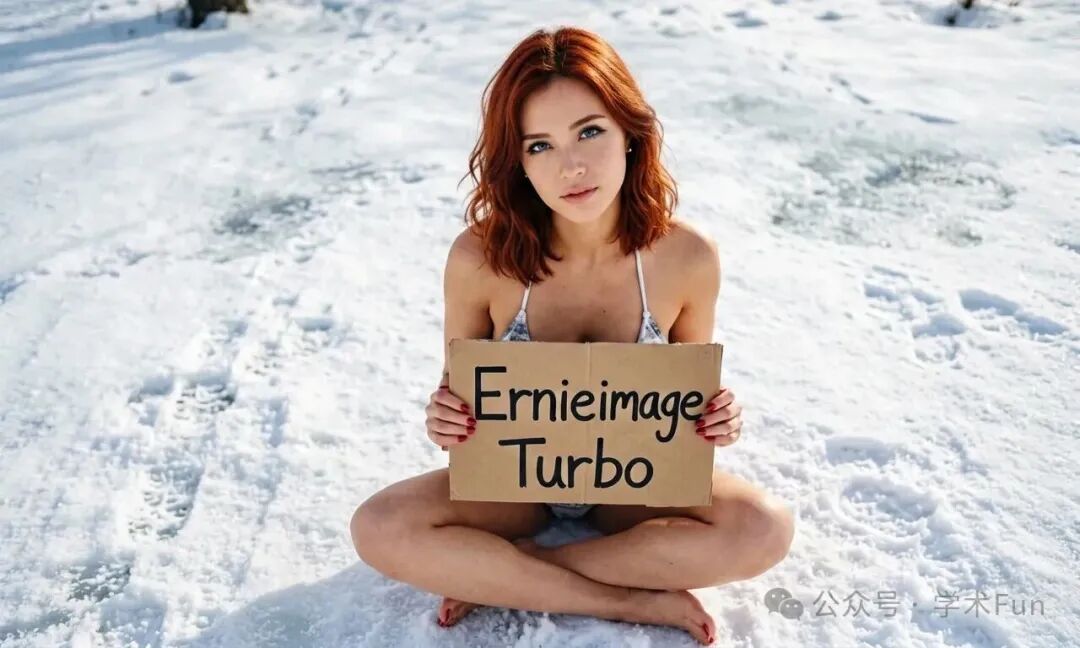
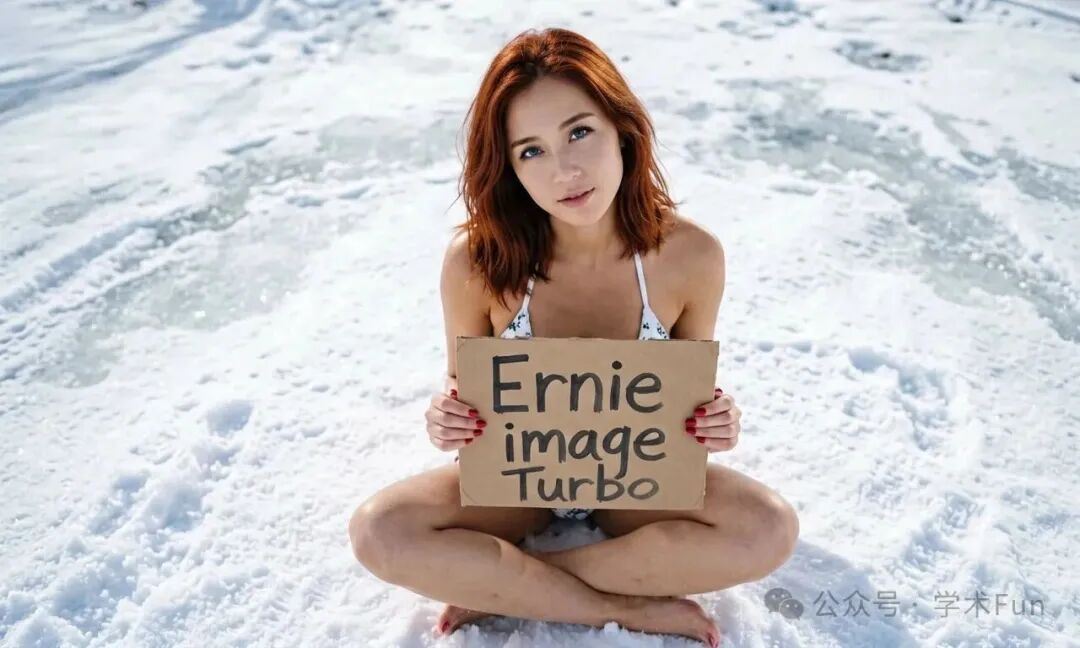
So I typed in a test prompt: a girl in a bikini standing in the snow, holding a sign that says “Ernie image Turbo” (yes, I also wanted to test text rendering), and clicked Generate.
First test image
Total time: 4.2 seconds.
I zoomed in on the image and checked the sign. The phrase “Ernie image Turbo” was spelled out perfectly, letter for letter.
To understand how crazy that is, go try making SDXL write English text inside an image—nine times out of ten, you’ll get alien gibberish. Flux is better, but it still often drops letters or mangles strokes.
This thing produced an image in 4 steps, and not a single English letter was wrong.
The Secret Behind 4-Step Image Generation
I dug through the paper and read a few technical breakdowns along the way.
The original ERNIE-Image is an 8B-parameter single-stream DiT (Diffusion Transformer). Architecturally, it’s close to Flux and needs around 50 inference steps.
The Turbo version is its distilled version—it uses the original model as the teacher and “compresses” a 50-step sampling trajectory down to 8 steps. Our workflow is even more aggressive: it can get results close to the original in just 4 steps.
In plain English: the original model is like someone slowly walking to the finish line, while the Turbo version copies a shortcut and flies straight there.
A shorter path is naturally faster.
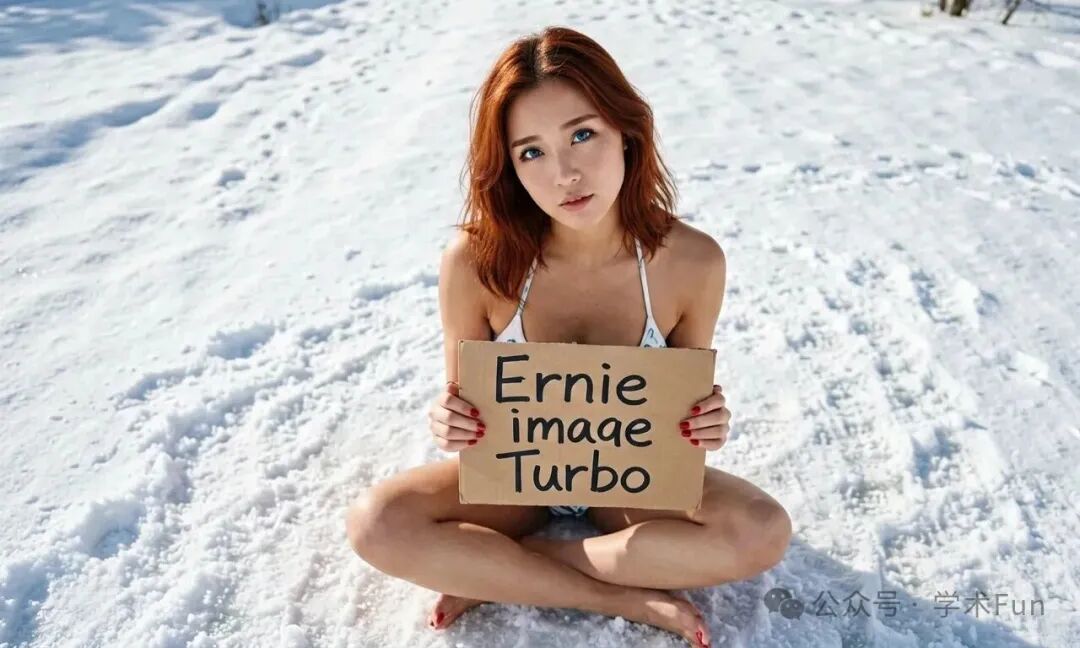
Pair that with GGUF Q6_K quantization (shrinking the model from 15GB to a little over 6GB), and even a 10GB card like a 3080 can run 1280×768 smoothly. Two years ago, that would have sounded ridiculous.
Test image 2
I Tested More Than a Dozen Scenarios in a Row
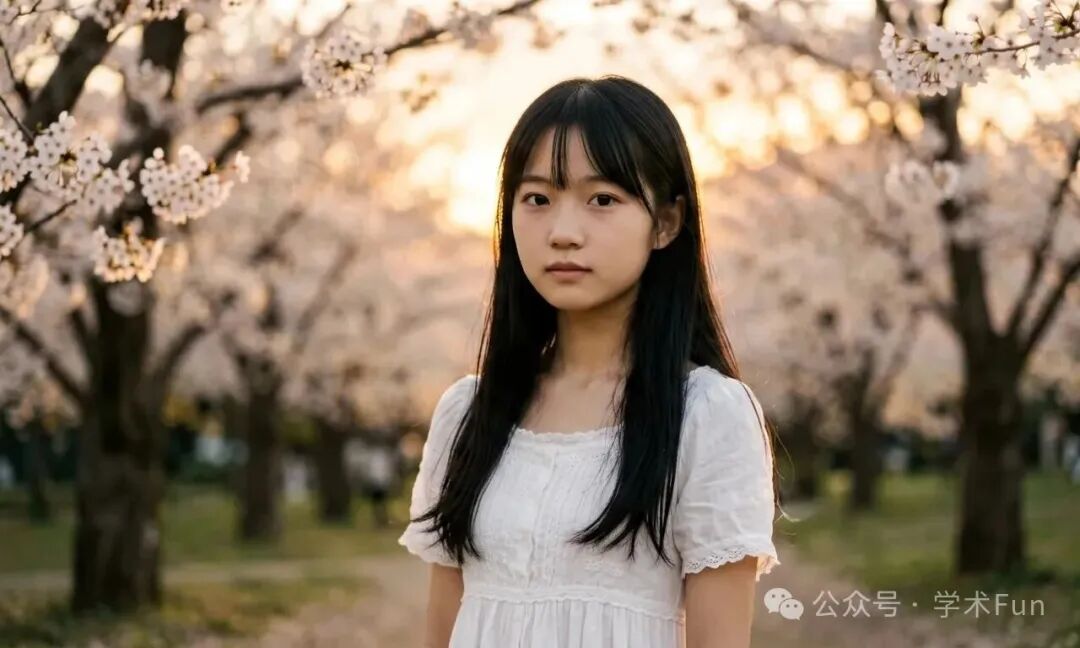
Portraits, landscapes, sci-fi cities, animal close-ups, ink-wash paintings, anime-style art... in almost every category, it could deliver a score of 80 out of 100 or better.
Two things especially stood out:
First, its Chinese text rendering is genuinely strong.
In the past, asking AI to write Chinese inside an image was basically a fantasy. With this model, if you ask it to write “你好世界,” it can actually do it, and the strokes are neat and readable. For people in China making posters, short-video thumbnails, or memes, that’s basically a nuclear bomb.
Second, its instruction following is strong.
If you say, “an orange cat on the left, a black cat on the right, and a red apple in the middle,” it can actually arrange things the way you described. Unlike some models where you ask for three things and it randomly gives you two.
Test image 3

Test image 4
Then I Thought of a Question
Since it runs locally, since it’s Apache 2.0 open source, and since the model weights are fully on my own computer...
Does it have content restrictions?
The answer is: No.
No cloud moderation. No usage logs. No pop-up telling you “your request violates community guidelines.” You type whatever you want, and it generates it.
In 2026, that already feels like a luxury product.
I’m not saying everyone should go make something sketchy. What I mean is this: the boundaries of creation should be decided by creators themselves, not by a moderation model sitting somewhere in the cloud.
Why shouldn’t you be able to generate an anatomy reference image? Or an artistic nude? Or a bloody war scene?
Online tools block all of that, with the excuse that it “may violate content policy.”
A local model doesn’t care. Your GPU, your computer, your rules.

Test image 5
The Hardware Barrier Is Actually Not That High
A lot of people see “8B parameters” and back off immediately, assuming their 3060 can’t handle it.
Here’s what actual testing says:
- 10GB VRAM (3080/4070 class): Q6_K quantized version, 1280×768 resolution, around 4 seconds per image
- 8GB VRAM (3060Ti/4060): Q4_K_M quantized version, 1024×1024 resolution, barely workable
- 24GB VRAM (3090/4090): go straight for the full fp8 or bf16 version for better results
The nice thing about GGUF quantization is that you can choose the version based on your own GPU instead of forcing the full weights to fit.
Test image 6
I Also Made a One-Click Gradio Version for It
ComfyUI really isn’t beginner-friendly. All those nodes and connections are enough to make your head hurt.
So I wrapped this workflow in a Gradio interface—prompt and settings on the left, generated image on the right. Double-click a bat file, and it launches automatically, opening the browser for you.
No need to install a Python environment. No need to pip install a pile of packages. Just unzip the bundle and use it right away.
The package includes:
- Portable Python 3.12 + PyTorch + CUDA
- ComfyUI core + GGUF nodes
- ERNIE-Image-Turbo
Q6_Kmodel weights - Flux2 VAE +
ministral-3-3btext encoder - One-click Gradio web interface
Download it, extract it, double-click 01-run.bat, wait for the model to finish loading, and the interface will appear in your browser.
Final Thoughts
Over the past three years, I’ve seen far too many Chinese-made models that were “open source, but not really.”
This time, Baidu genuinely surprised me. Apache 2.0, full weights, community support for ComfyUI, and GGUF quantization done with Unsloth—the whole ecosystem around it is impressively complete.
No matter what impression you may have had of this company in the past, at least this time, they did the right thing.
And what we get as users is this: with a 10GB graphics card, you can generate an image close to commercial-model quality in 4 seconds, fully local, fully private, fully under your control.
In an era when cloud AI is becoming more and more restrictive, that’s already pretty rare.